
Test post: how headings, lists, quotes, tables and images look on the Vibex blog
This is the standfirst: one or two sentences under the headline that tell the reader what the post covers and why it is worth their time. Everything below is dummy text.
- A key takeaways box sits at the top of the post and sums it up in three to five short points.
- Each point is one sentence. Readers who stop here still leave with the main idea.
- AI tools often quote summaries like this one, so write each point so it stands on its own.
This is the opening paragraph. It sets up the problem in plain words and tells the reader what they will learn. Body text is set in DM Sans at 18 pixels with generous line spacing, so long reads stay comfortable on any screen. Lines are kept to about 70 characters wide.
Inline styles look like this: bold text for key terms, italic text for emphasis or titles, an internal link to a service page, an external link, and inline code.
Headings and body text
An H2 heading starts each main section and appears in the table of contents on the left. On the blog, H2s are set in sentence case, not the uppercase used on service pages, so long headings stay easy to read.
A second paragraph to show the spacing between paragraphs. Dummy text continues here so the block looks like a real paragraph of three or four lines. The reader should never feel that the page is crowded, and the eye should find the start of the next line without effort.
This is an H3 subheading
H3s split a section into smaller parts. They do not appear in the table of contents. Use them when a section covers two or three distinct points.
This is an H4 heading
H4s are rare. Use them for a short labelled block inside an H3 section, such as a step or an example.
Lists
A bulleted list for items in no particular order:
- First item in the list, kept short
- Second item with a little more text, so it wraps onto a second line on smaller screens and shows how the indent holds up
- Third item with a nested list:
- Nested item one
- Nested item two
- Fourth item with bold text and a link
A numbered list for steps that happen in order:
- Find the story. Dummy text describing the first step in one or two sentences.
- Collect the data. Dummy text describing the second step.
- Write the report. Dummy text describing the third step.
- Pitch journalists. Dummy text describing the last step.
Quotes
A quote from a person or a source. The last short line becomes the attribution:
This is a quote. It holds the exact words of a journalist, a client or a published source, usually one to three sentences long.
A pull quote repeats one strong line from the post to break up long text:
A pull quote is one short, strong line from the post, set large.
Images
One image fills the text column, and the italic line under it becomes the caption:

A screenshot or chart keeps its own size when it is smaller than the column:
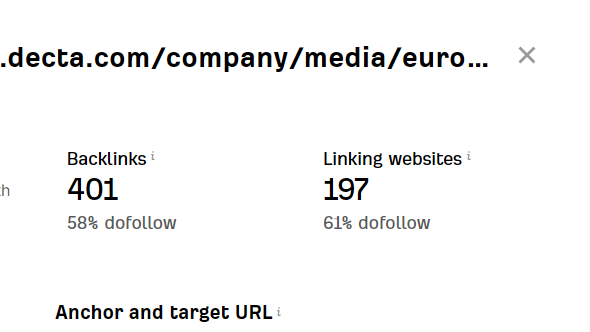
Two images in a row sit side by side, at the same height:


Tables
The header row has a solid background. Number columns line up on the right automatically, and the italic line under the table becomes its caption.
| Outlet type | Example | Links | Share |
|---|---|---|---|
| National news | Example Daily | 120 | 40% |
| Industry media | Example Trade Weekly | 90 | 30% |
| Regional news | Example City Post | 60 | 20% |
| Blogs | Example Blog | 30 | 10% |
Callouts and boxes
A quote block that starts with a bold label becomes a box:
A tip box. Use it for a practical piece of advice the reader can act on right away.
An info box. Use it for background, a definition or context that helps but is not essential.
A warning box. Use it for a common mistake or a risk the reader should know about.
In-post call to action
One sentence that connects the topic of the post to a Vibex service.
Code
Inline code looks like <link rel="canonical">. A code block for longer snippets:
<script type="application/ld+json">
{
  "@context": "https://schema.org",
  "@type": "BlogPosting",
  "headline": "Example headline"
}
</script>
A divider separates two parts of a post when a heading would be too much:
The paragraph after the divider continues the post. Dummy text to close the section.
Frequently asked questions
This is the first question?
This is the answer. It opens when the reader clicks the question. Keep each answer to two or three sentences.
This is a second, slightly longer question that wraps onto two lines on smaller screens?
A second dummy answer, with a link inside it.
This is the third question?
A third dummy answer.
Sources
- Dummy source: Example Research Group, "Example report title", 2026.
- Second dummy source with a link to the original.